
Website Hosting Security: Essential Features to Look For
Aditi Patel
10 Best Web Hosting Editor
Why Hosting Security Matters
A website can contain far more than public pages and images. Depending on how it is built, it may also hold customer information, account data, contact-form submissions, order details, payment-related integrations, and administrative credentials.
That makes security an important part of choosing a hosting provider.
A secure hosting environment can help reduce exposure to common threats such as malware, unauthorized access, data loss, and service disruption. However, no hosting provider can remove every risk. Website security usually depends on a combination of the host’s infrastructure and the website owner’s own maintenance practices.
Understanding which protections are included can help you compare plans more effectively.
Key Website Hosting Security Features at a Glance
| Security Feature | What It Does | Why It Matters |
|---|---|---|
| SSL Certificate | Encrypts data between the website and visitors | Helps protect transmitted information and enables HTTPS |
| Malware Scanning | Checks website files for suspicious or malicious code | Can help identify infections before they spread |
| Web Application Firewall | Filters potentially harmful web traffic | Helps block common attacks targeting websites |
| DDoS Protection | Helps manage unusually large or malicious traffic spikes | Can reduce the risk of a site becoming unavailable |
| Automated Backups | Creates copies of website files and databases | Provides recovery options after errors or attacks |
| Software Updates | Keeps server software and systems current | Helps address known vulnerabilities |
| Two-Factor Authentication | Adds an extra login verification step | Makes account takeovers more difficult |
| Security Monitoring | Watches for unusual activity or changes | Can help detect problems earlier |
A hosting plan does not necessarily need every advanced feature, but a basic security foundation should be part of any serious website setup.
SSL Certificates
SSL is one of the most familiar hosting security features.
An SSL certificate encrypts information transferred between a visitor’s browser and the website. This allows the site to use HTTPS rather than an unencrypted connection.
HTTPS is especially important when websites collect information through:
- Login forms
- Contact forms
- Online checkouts
- Account registrations
- Booking systems
- Customer portals
Many hosting providers now include a basic SSL certificate at no extra cost.
When comparing plans, check whether SSL is:
- Included automatically
- Easy to activate
- Renewed automatically
- Available for all domains and subdomains
A provider may also offer paid SSL products with additional validation or warranties, but a basic website often only needs a standard certificate.
Malware Scanning
Malware is malicious software that can be inserted into a website or server.
It may be used to steal information, redirect visitors, display unwanted content, or create unauthorized access.
Malware scanning tools monitor website files for suspicious changes or known threats.
Some hosting providers include scanning as part of the base plan, while others offer it as a paid security upgrade.
Scanning vs. Malware Removal
These are not always the same service.
A provider may scan your website and notify you when malware is found, but actual cleanup may require a separate service.
Before choosing a plan, check whether the security package includes:
- Automatic scanning
- Real-time monitoring
- Notifications
- Malware removal
- File restoration
Knowing what happens after a threat is detected can be just as important as knowing that scanning is available.
Web Application Firewalls
A Web Application Firewall, often called a WAF, helps filter traffic before it reaches your website.
It can identify and block certain suspicious requests or known attack patterns.
A WAF may help protect against threats such as:
- Malicious bots
- Injection attempts
- Exploit traffic
- Suspicious login activity
- Automated scanning attempts
Some hosting providers include firewall protection at the server level, while others integrate third-party security platforms.
For business websites and online stores, a WAF can provide another useful layer between the public internet and the website itself.
DDoS Protection
A Distributed Denial-of-Service attack attempts to overwhelm a website or server with large amounts of traffic.
The goal is often to consume enough resources that legitimate visitors can no longer access the site.
Hosting providers may use network-level filtering, traffic analysis, rate limiting, and distributed infrastructure to help manage these attacks.
The level of DDoS protection varies significantly between providers.
A small informational website may not need enterprise-grade protection, but businesses that rely heavily on website availability should understand what their hosting plan includes.
Automated Backups
Backups are one of the most important security and recovery features a hosting provider can offer.
A backup creates a copy of your website so it can potentially be restored after:
- Malware infection
- Failed updates
- Human error
- File corruption
- Accidental deletion
- Server problems
However, simply seeing “backups included” is not enough.
Check:
- How frequently backups are created
- How many copies are retained
- How long backups are stored
- Whether databases are included
- Whether backups are stored separately
- Whether restoration is automatic or manual
- Whether restoring a backup costs extra
Daily backups may be more appropriate for a frequently updated online store than for a small static website that changes only a few times a year.
Server and Software Updates
Hosting servers rely on operating systems, web servers, database software, and other infrastructure.
These systems need regular security updates.
On managed hosting, the provider usually handles much of this server-level maintenance.
With unmanaged VPS or dedicated hosting, customers may be responsible for applying more updates themselves.
This distinction is important.
A technically powerful hosting environment can still become vulnerable if its software is not kept current.
If you do not have experience managing servers, consider whether managed hosting may be more appropriate.
Two-Factor Authentication
Passwords alone can be compromised.
Two-factor authentication adds another verification method when someone attempts to log in.
For example, after entering a password, the user may need to confirm access using an authentication app or another verification method.
Two-factor authentication can help protect:
- Hosting dashboards
- Domain-management accounts
- Website administrator accounts
- Email accounts
When comparing hosts, check whether two-factor authentication is available for the main account and whether additional users can also secure their access.
Account Permissions
Some hosting platforms allow the account owner to create separate users with different permission levels.
This can be useful if several people manage the website.
For example:
- A developer may need hosting access
- A marketer may only need website access
- An accountant may need billing access
- An agency may require temporary administrative access
Giving everyone the main account password creates unnecessary risk.
Hosting providers that support role-based access or separate user accounts can make it easier to control who can change important settings.
Security Monitoring and Alerts
Security monitoring looks for unusual activity within the hosting environment or website.
Depending on the service, alerts may cover:
- Suspicious login attempts
- Malware detection
- File changes
- Domain changes
- Blacklisting
- Resource spikes
- Service outages
Fast alerts can help website owners respond before a small issue becomes more serious.
However, monitoring is most useful when someone is actually paying attention to the notifications.
Make sure account contact details are current and that important alerts are sent to an inbox you actively monitor.
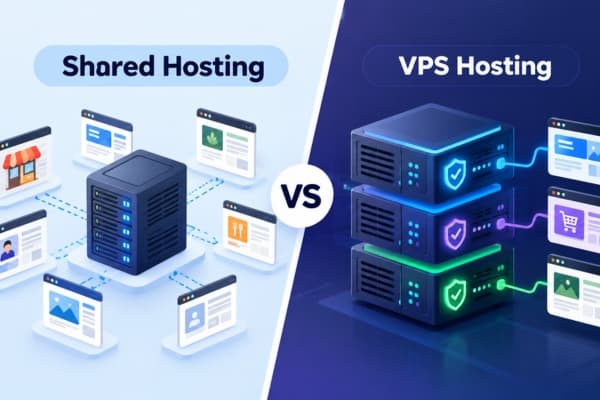
Shared Hosting Security
Shared hosting places multiple customers on the same physical server.
A reputable provider should isolate accounts so that one customer cannot freely access another user’s files or resources.
Because the host manages the shared environment, customers generally have less responsibility for server-level security.
This can be beneficial for beginners.
However, individual website security still matters.
An outdated plugin, weak password, or compromised administrator account can create problems even when the hosting server itself is properly secured.
VPS and Dedicated Hosting Security
VPS and dedicated hosting provide greater control, but they can also place more responsibility on the customer.
With unmanaged hosting, users may need to handle:
- Firewall configuration
- Server updates
- User permissions
- Security patches
- Monitoring
- Backup configuration
- Malware protection
This means a VPS is not automatically more secure than shared hosting.
Greater isolation and control can improve security when the environment is properly managed, but poor configuration can create vulnerabilities.
Managed VPS or dedicated hosting may be more appropriate for businesses that need additional resources without taking full responsibility for server administration.
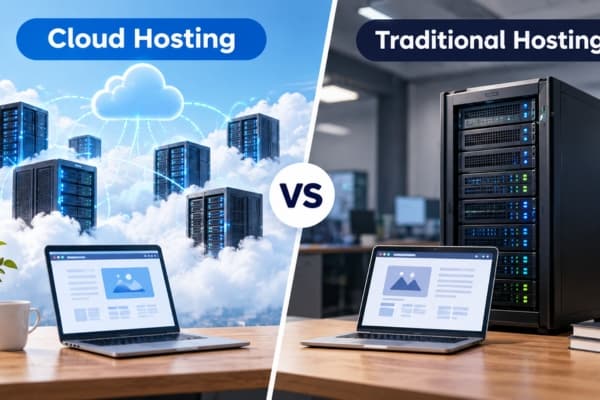
Cloud Hosting Security
Cloud hosting distributes resources across multiple systems and may include strong redundancy and network-level protection.
However, cloud security still depends heavily on configuration.
Common considerations include:
- Account permissions
- Network rules
- Encryption
- Backups
- Application security
- Access keys
- Monitoring
Cloud platforms can be highly secure, but they may also be complex.
Businesses should understand which security responsibilities belong to the provider and which remain with the customer.
What Is the Shared Responsibility Model?
Many hosting services operate under a form of shared responsibility.
The provider may secure:
- Physical data centers
- Network infrastructure
- Server hardware
- Core hosting platform
- Certain system updates
The website owner may still be responsible for:
- Website passwords
- Content management system updates
- Plugin and theme updates
- User permissions
- Application configuration
- Secure coding
- Local device security
This distinction is important because buying secure hosting does not automatically secure every part of a website.
Website Owner Security Responsibilities
Even with strong hosting protections, website owners should follow basic security practices.
These include:
- Use strong, unique passwords
- Enable two-factor authentication
- Keep websites and plugins updated
- Remove unused software
- Limit administrator accounts
- Review user access regularly
- Maintain independent backups when possible
- Avoid installing software from untrusted sources
- Monitor website activity
Security works best when hosting protections and responsible website management support each other.
How to Compare Hosting Security Before Buying
Before choosing a hosting provider, ask practical questions about what is actually included.
Consider checking:
- Is SSL included and automatically renewed?
- Are backups automatic?
- How frequently are backups created?
- Is malware scanning included?
- Does the provider remove malware or only detect it?
- Is DDoS protection available?
- Is a web application firewall included?
- Can you enable two-factor authentication?
- Who handles server updates?
- Is security support available if something goes wrong?
Also check whether security features are included in the advertised price or sold separately.
A low-cost hosting plan may become significantly more expensive once backups, malware protection, and other tools are added.
Security Features vs. Security Guarantees
No hosting provider can guarantee that a website will never experience a security problem.
Security features reduce risk, but they cannot eliminate every possible threat.
A strong hosting setup should therefore focus on layers of protection.
For example:
SSL + Firewall + Malware Monitoring + Backups + Updates + Strong Account Security
If one layer fails, another may help reduce the damage or improve recovery.
This layered approach is generally more practical than depending on a single security feature.
Bottom Line
Website hosting security should be treated as a core hosting requirement rather than an optional extra.
At minimum, look for a provider that supports SSL, secure account access, regular updates, reliable backups, and basic monitoring. Depending on your website, malware scanning, firewalls, DDoS protection, and advanced security tools may also be important.
Businesses collecting customer information or processing online transactions should pay particular attention to both prevention and recovery features.
The strongest hosting security comes from combining a reliable provider with responsible website management. Compare what the host protects, understand what remains your responsibility, and choose a plan that gives you enough security without paying for features your website does not actually need.